
MacVoices Episodes
MacVoices #25300 – MacVoices Update – 2025-11

MacVoices #25300 – MacVoices Update – 2025-11

Chuck delivers the November 2025 update, highlighting ongoing Holiday Gift Guides, extra episodes in the feed, and an upcoming discussion on AI with a user group. He explains the push for shorter, more focused shows and promotes the MacVoices Flipboard magazines and how-to content, as well as the monthly Support Report. 
read more
MacVoices #25282: Going All In With Glenn Fleishman on Take Control, Liquid Glass, Public Betas (2)

MacVoices #25282: Going All In With Glenn Fleishman on Take Control, Liquid Glass, Public Betas (2)

Author Glenn Fleischman returns to discuss how he keeps Take Control books current, what Liquid Glass gets right (and wrong), and how public betas color expectations. We cover iOS safety tools like Check In, iPadOS windowed apps, and the iPhone 17 Pro’s camera vs. “Visual Intelligence,” plus why foldables still don’t convince him. Glenn also details the Phone app on iPad/Mac and shares his Six Colors column and print-history projects.

read more
MacVoices #25281: Going All In With Glenn Fleishman on Take Control, Liquid Glass, Public Betas (1)

MacVoices #25281: Going All In With Glenn Fleishman on Take Control, Liquid Glass, Public Betas (1)

Glenn Fleishman joins Chuck Joiner to explore Apple’s latest OS evolutions, including the controversial Liquid Glass interface, iPadOS 26 multitasking, and the importance of cross-device consistency. They also dive into Take Control’s role in helping users adapt to Apple’s constant redesigns and why understanding “the basics” still matters for every Mac, iPhone, and iPad user.

read more
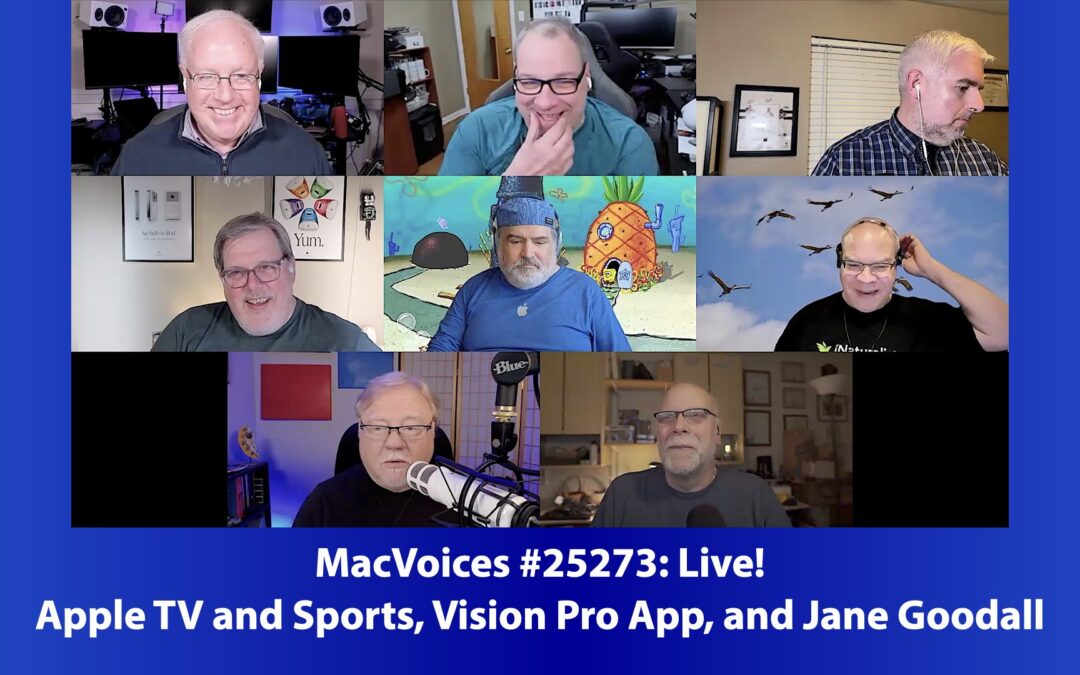
MacVoices #25273: Live! – Apple TV and Sports, Vision Pro App, and Jane Goodall

MacVoices #25273: Live! – Apple TV and Sports, Vision Pro App, and Jane Goodall

The discussion spans Apple’s latest innovations — from sports streaming and F1 coverage to the Vision Pro app on iPad — and honors the legacy of Jane Goodall through Apple’s new “Start with the Mac” ad. Alongside lighthearted talk about the Steve Jobs commemorative coin, the panel reflects on Apple’s creative roots, evolving ecosystem, and its continued drive to merge technology, storytelling, and inspiration across every platform.

read more
MacVoices #25248: Joe Kissell Takes Control of Tahoe and Mac Basics (1)

MacVoices #25248: Joe Kissell Takes Control of Tahoe and Mac Basics (1)

Joe Kissel joins Chuck to discuss Take Control of Tahoe and the newly updated Mac Basics. They explore Apple’s sweeping design overhaul with Liquid Glass, debate its real-world impact on usability, and explain how Apple’s expanding app ecosystem demands frequent book updates. Joe shares insight into balancing depth, clarity, and adaptation to ever-changing macOS updates.

read more

Older Episodes

MacVoices #25161: Road to Macstock – Allison Sheridan

MacVoices #25161: Road to Macstock – Allison Sheridan

On The Road to Macstock Conference and Expo Allison Sheridan previews both her workshop and her session. Her main talk focuses on how everyone has something valuable to contribute, while her workshop explores the advanced capabilities of Apple Photos on the Mac. Both sessions reflect her passion for empowering others through technology and developing community. 

read more
MacVoices #25089: Terri Morgan on New LumaFusion Features and the Joy of Editing

MacVoices #25089: Terri Morgan on New LumaFusion Features and the Joy of Editing

Terry Morgan, Co-Founder Principle Designer for LumaTouch discusses the significant new features in LumaFusion, particularly highlighting adjustment clips, enhanced keyframing, and increased track support in the latest update. Terry explains how these features streamline the editing process, providing editors with greater efficiency, flexibility, and creativity. She emphasizes how adjustment clips revolutionize the editing workflow by allowing complex, multi-layered edits with simplified controls. The conversation also touches on LumaFusion’s unique pricing structure, mobile editing on iPhone and iPad, and the satisfaction that comes from creative storytelling through video editing. 

read more
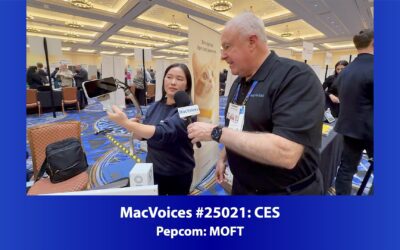
MacVoices #25021: CES Pepcom – MOFT

MacVoices #25021: CES Pepcom – MOFT

In Las Vegas at the Pepcom event for CES, Vicky Yang, Brand Marketing Director for MOFT, showed us their latest products that include an iPhone wallet and stand with Find My that stays charged for 4 – 6 months, a new iPad folio that provides seven different folding configurations, and a MagSafe accessory  that incorporates a notebook for your analog input. 

read more
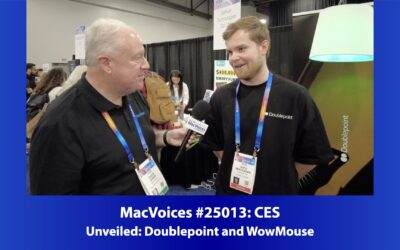
MacVoices #25013: CES Unveiled – Doublepoint and WowMouse

MacVoices #25013: CES Unveiled – Doublepoint and WowMouse

https://youtu.be/0JhoChBO2x8 At CES Unveiled in Las Vegas, Ohto Pentikäinen, Co-Founder and CEO of Doublepoint, tells us about WowMouse, a utility that gives you point and click control of your iPhone, Mac and smart home devices from your Apple Watch. Ohto outlines...

read more
MacVoices #24301: Kirk McElhearn Takes Control of Apple Media Apps (2)

MacVoices #24301: Kirk McElhearn Takes Control of Apple Media Apps (2)

Our conversation with Kirk McElhearn, the author of the new Take Control of Apple Media Apps, continues with explorations of Apple’s Books and Music apps from an audiobook perspective. The advantage of using Audible’s app are covers, particularly if using the Apple Watch. Kirk also discusses the Apple Music Classical app, Siri’s limitations with music command, and more. (Part 2) 

read more
MacVoices #24300: Kirk McElhearn Takes Control of Apple Media Apps (1)

MacVoices #24300: Kirk McElhearn Takes Control of Apple Media Apps (1)

The latest Take Control Books release comes from Kirk McElhearn. Take Control of Apple Media Apps covers Apple Music and Podcasts as well as The Apple TV and Books apps. Kirk talks about the evolution of this book and how an understanding of their similarities and the near-complete feature parity can help you get more out of them. Usability, rather than continuous feature introduction, has resulted in mature (in a good way) apps that let you use their content intuitively. The Apple TV app gets special attention in the discussion. (Part 1) 

read more

MacVoices Communication Channels

The MacVoices Dispatch

Subscribe to the MacVoices Dispatch email newsletter to stay up-to-date on the latest Apple and technology news. Get exclusive content delivered straight to your inbox and be part of our tech enthusiast community.

The MacVoices Blog

Check out the MacVoices blog for the latest news and catch up on Chuck's guest appearances on other podcasts.

Read on Flipboard

Discover MacVoices through our exclusive Flipboard magazine! Delve into the realm of innovation and stay up-to-date with the latest trends in Apple technology. Join us on Flipboard today.